Skills
Skills
The Skills page is the central place to browse, search, and manage the skills available to your agent. Skills extend the agent with predefined behaviours that it can invoke during a conversation.
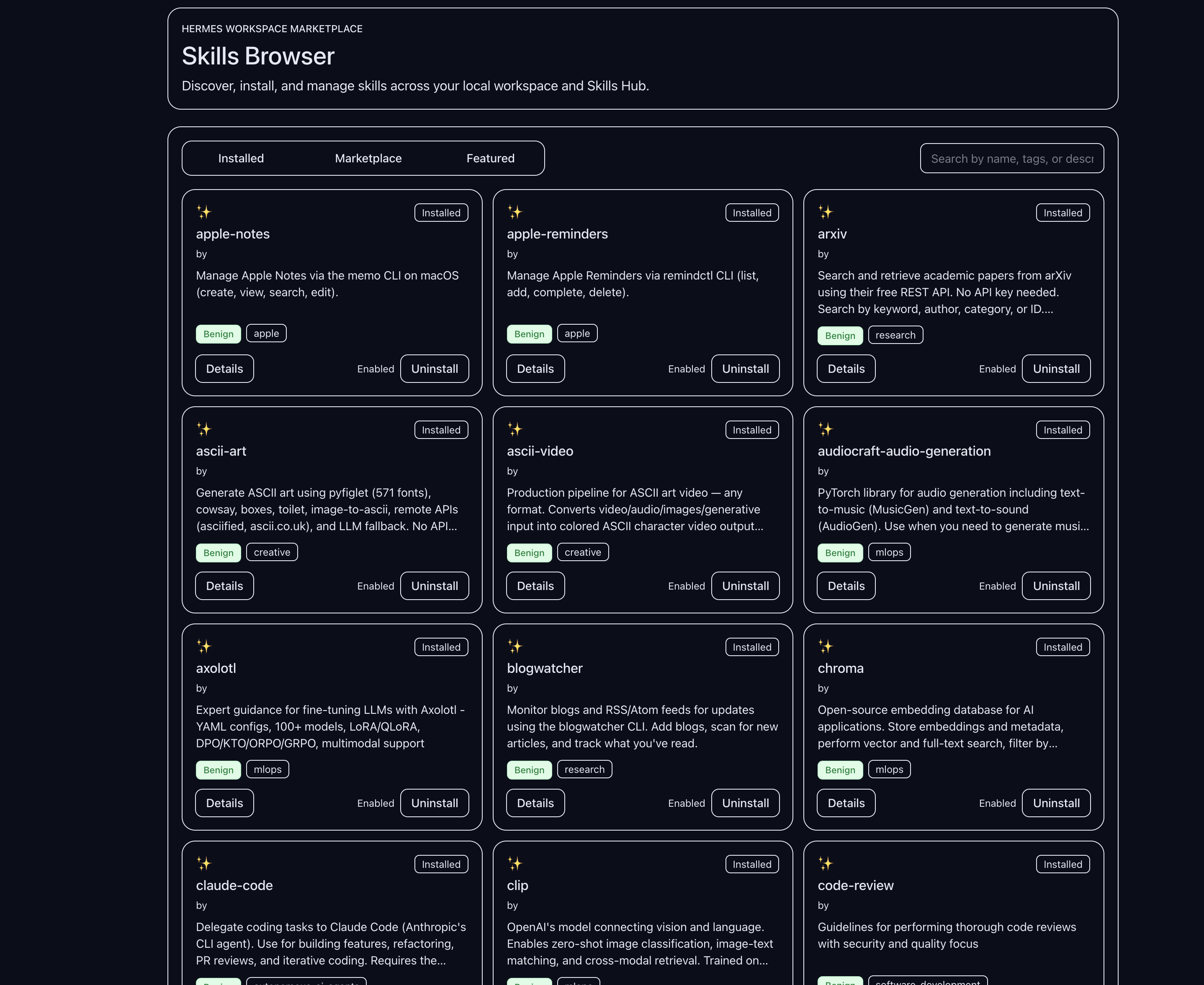
What you see
Navigate to Skills in the sidebar under the Knowledge group. The page opens with a toolbar across the top and a card grid below it.
Toolbar controls
- Search — type to filter skills by name, description, or tag. Results update after a short debounce.
- Status filter — switch between three views:
- Installed — skills currently available to the agent.
- Marketplace — skills available from the Skills Hub that are not yet installed.
- All — installed skills combined with hub results.
- Category filter — narrow results to a specific category. Categories are returned by the agent API and vary by installation.
- Sort — sort by Name, Category, or Updated.
- View mode — toggle between Grid and Table views.
Skill cards
Each card in grid view shows:
- The skill name and icon.
- A short description.
- Author and category tags.
- An indication of whether the skill is installed and enabled.
Click a card to open the detail drawer.
Detail drawer
The detail drawer slides in from the right when you select a skill. It contains:
- Overview tab — full description, tags, trigger phrases, and security risk level.
- Source tab — the skill’s source code with line-number display.
- Files tab — a list of files that make up the skill.
- Usage tab — usage guidance and example invocations.
The drawer also shows the skill’s origin (builtin, agent-created, or marketplace) and an enable/disable toggle for installed skills.
Enabling and disabling skills
For installed skills, the drawer provides an Enabled button. Clicking it confirms the current state. To disable a skill, use the toggle control in the drawer header.
Changes take effect immediately for the current session. The agent may need to be restarted for changes to persist across sessions, depending on the gateway version.
Related pages
- What are skills — conceptual overview
- Installing a skill from the hub — step-by-step install
- Building your own skill — skill authoring guide
- MCP — a separate extension mechanism for external tool servers